
Invite
Bring people in with access that fits their role and plan.
For contractors, architects and homeowners
Start from a file or a rough idea. Prepare proposals, review items and follow progress in one shared budget. Ask the built-in AI assistant to shape a starting point or find the answer you need faster.
Free plan, no credit card.
Before you send your proposal
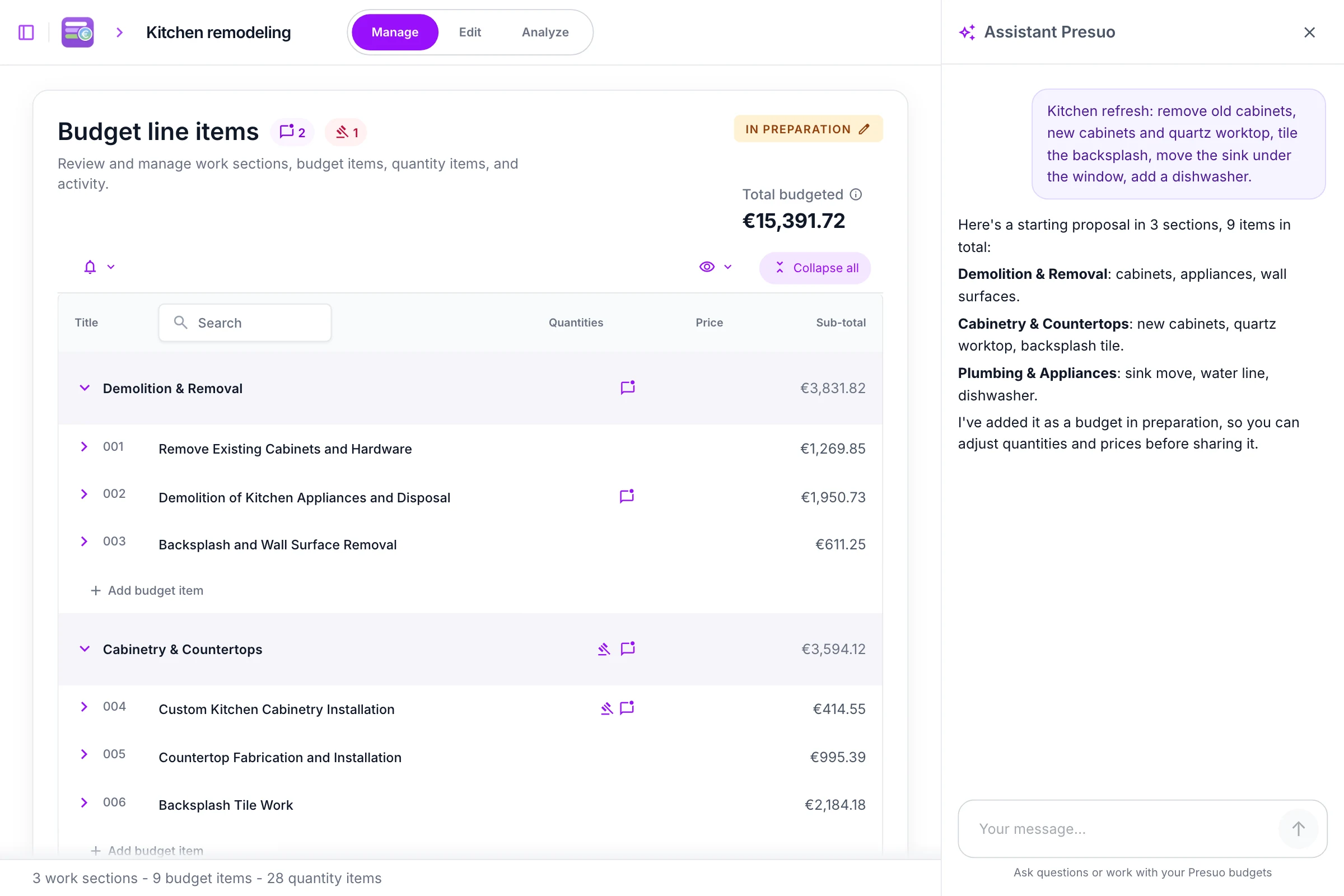
Import an Excel, PDF or BC3 budget, or begin from a rough scope; review the result before sharing it.
Assistant: Shape that rough scope into a starting proposal by room or trade.
Explore Budget ImportBefore work starts
Answer the client's or architect's question beside the relevant item, with the budget figures in view.
Assistant: Find the item or its recorded comments so you can answer precisely.
Explore Budget CollaborationDuring the work
Record measured progress against each item and prepare certificates with remaining quantities visible.
Assistant: Answer what quantities remain, or record measured progress on the row you name.
Explore Progress and Certificates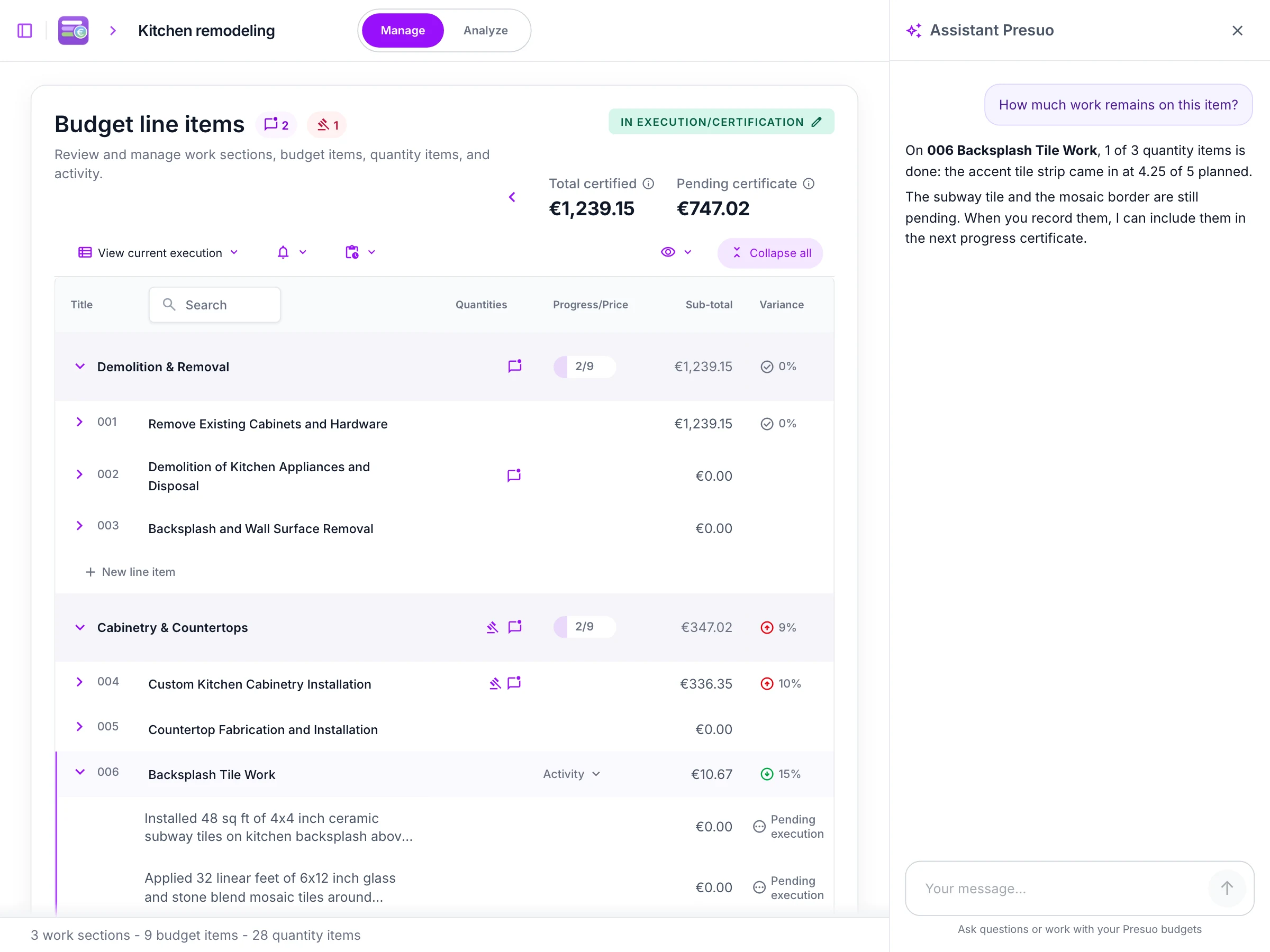
Before review
Import an Excel or BC3 budget, or a Presto/DPGF PDF export, keeping work sections, items and measurements together instead of retyping them.
Assistant: Locate a work section or item in the imported budget.
Explore Budget ImportDuring review
Invite the people involved when ready; discuss and decide on the relevant item so the reason for each decision remains visible.
Assistant: Find pending approvals, summarize item discussion, or add a comment or approval request; the architect and team decide.
Explore Budget CollaborationDuring construction
Review recorded changes, quantities and certificates against the budget history without reconstructing it from separate files.
Assistant: Summarize recent activity or answer what quantities remain.
Explore Progress and Certificates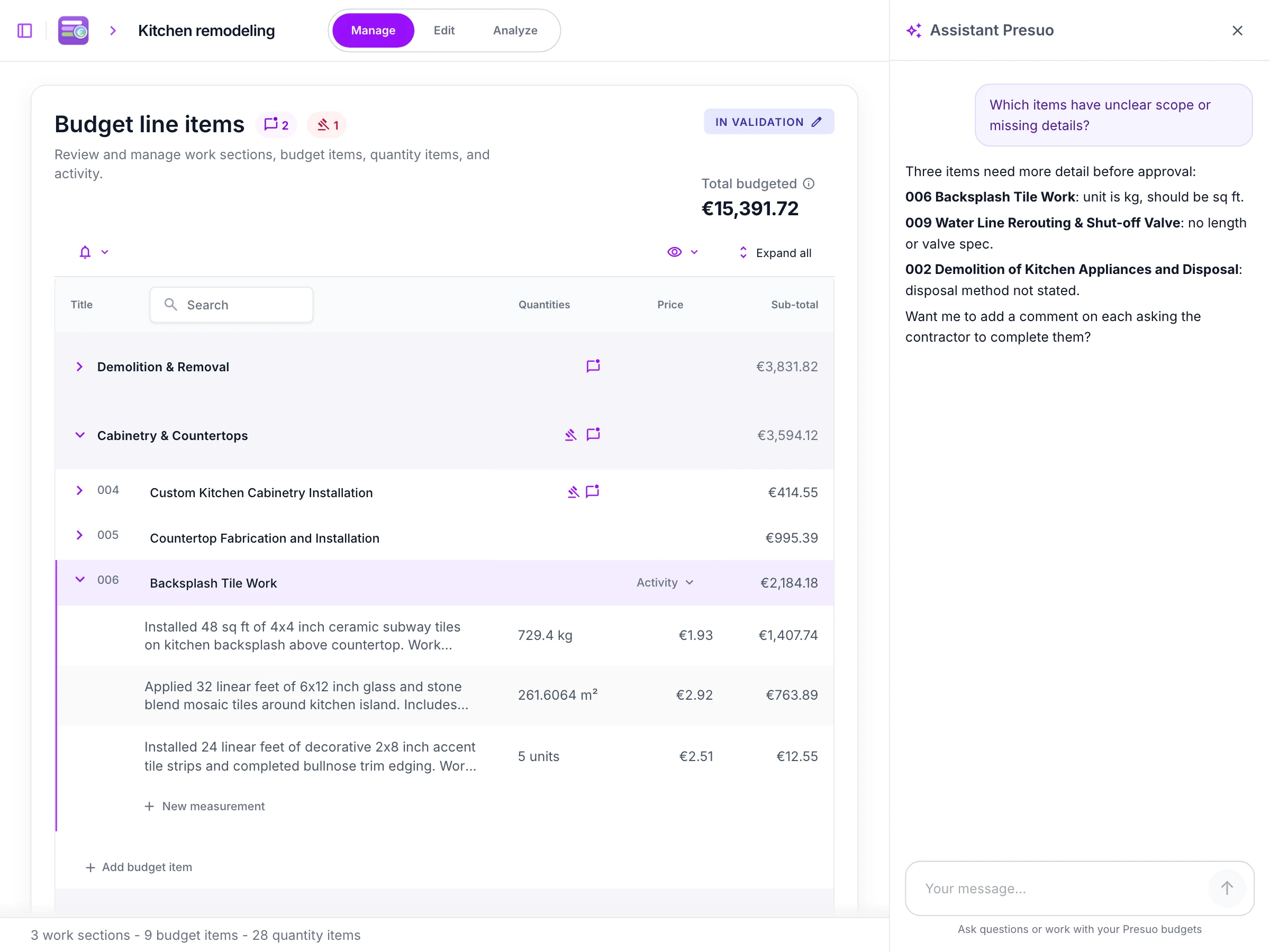
Before you commit
Import a contractor's spreadsheet, PDF or BC3 file and review its items and costs in one place; you can begin without the contractor joining.
Assistant: Ask what an unfamiliar item covers or find the work you mean in everyday language.
Explore Budget IntelligenceBefore work starts
Ask for clarification on the exact item and keep the team's answer beside it, instead of piecing together separate messages.
Assistant: Find the relevant item, summarize its discussion, or post your question on it; you still make the decision.
Explore Budget CollaborationDuring the work
Follow recorded progress, certificates and changes against that same budget, so you can see what remains.
Assistant: Ask what work or quantities remain.
Explore Progress and Certificates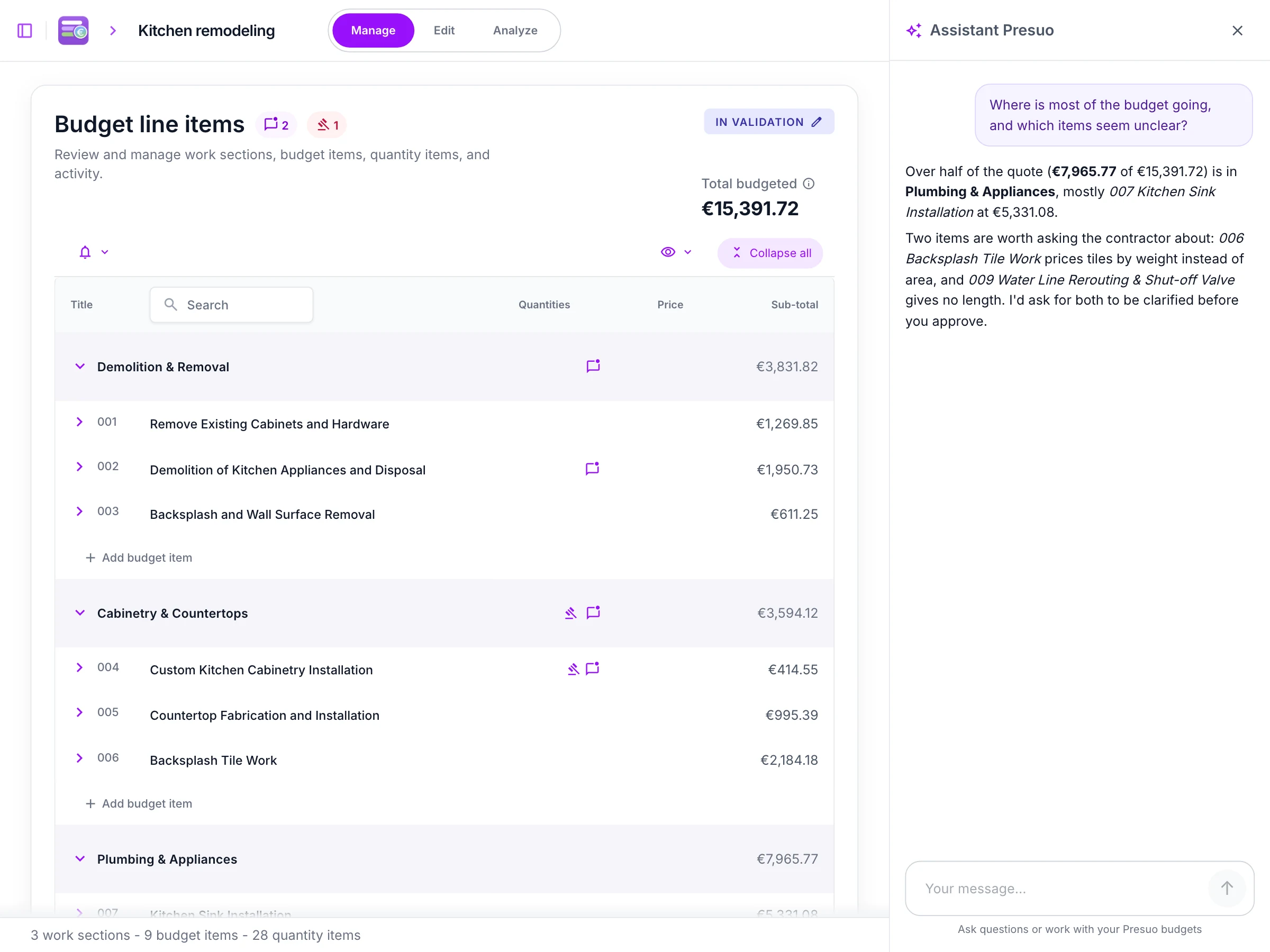
Work on your own first, then invite the people involved to review the same items, progress and decisions.

Bring people in with access that fits their role and plan.
Discuss and decide on the relevant budget item.
Record measured progress and prepare certificates from the work recorded.
Work with supported formats and plan limits.
Built-in AI assistant
See a real input and answer for shaping a proposal, understanding an item, or finding a detail.
Connect Presuo to ChatGPT to shape a proposal, check what's left or follow approvals on your budgets.
Presuo helps contractors, architects and homeowners prepare, review and follow construction budgets in one shared workspace. You can start with your own quote or budget, invite others when ready, and use a built-in AI assistant to shape proposals, understand items and find project details. Presuo also works inside ChatGPT.
Yes. Import your own quote or budget, review the items or prepare a first proposal, then invite others when ready.
It can help shape a proposal, understand a budget item, find an item or comment, and summarize what changed or what is waiting for approval. You can also ask it to record progress, add a comment or request approval on a specific item.
Approvals are requested on each item. The other parties can see what is pending, discuss it on the item and approve it.
Yes. Import Excel and BC3 budgets, and PDF budgets including Presto and DPGF exports, with or without prices.
Yes. The Presuo app for ChatGPT works on the same budgets you can access in Presuo.
Presuo and its assistant are available in English, Spanish and French.
Yes. The free plan includes one project and up to three members. A team of four or more needs an upgrade; see the pricing page for current limits.
Describe the work, even roughly, to the assistant, or import the budget you already have.